A look inside your Party HQ
Everything in its place. Everyone on the guest list.
From the first invitation to the final RSVP, Party HQ keeps the details together. Manage your guests, follow replies, and find your party essentials without missing a beat.
A little peek inside Party HQ. Sample celebrations and guest details are shown for illustration.
01 · Your party, pulled together
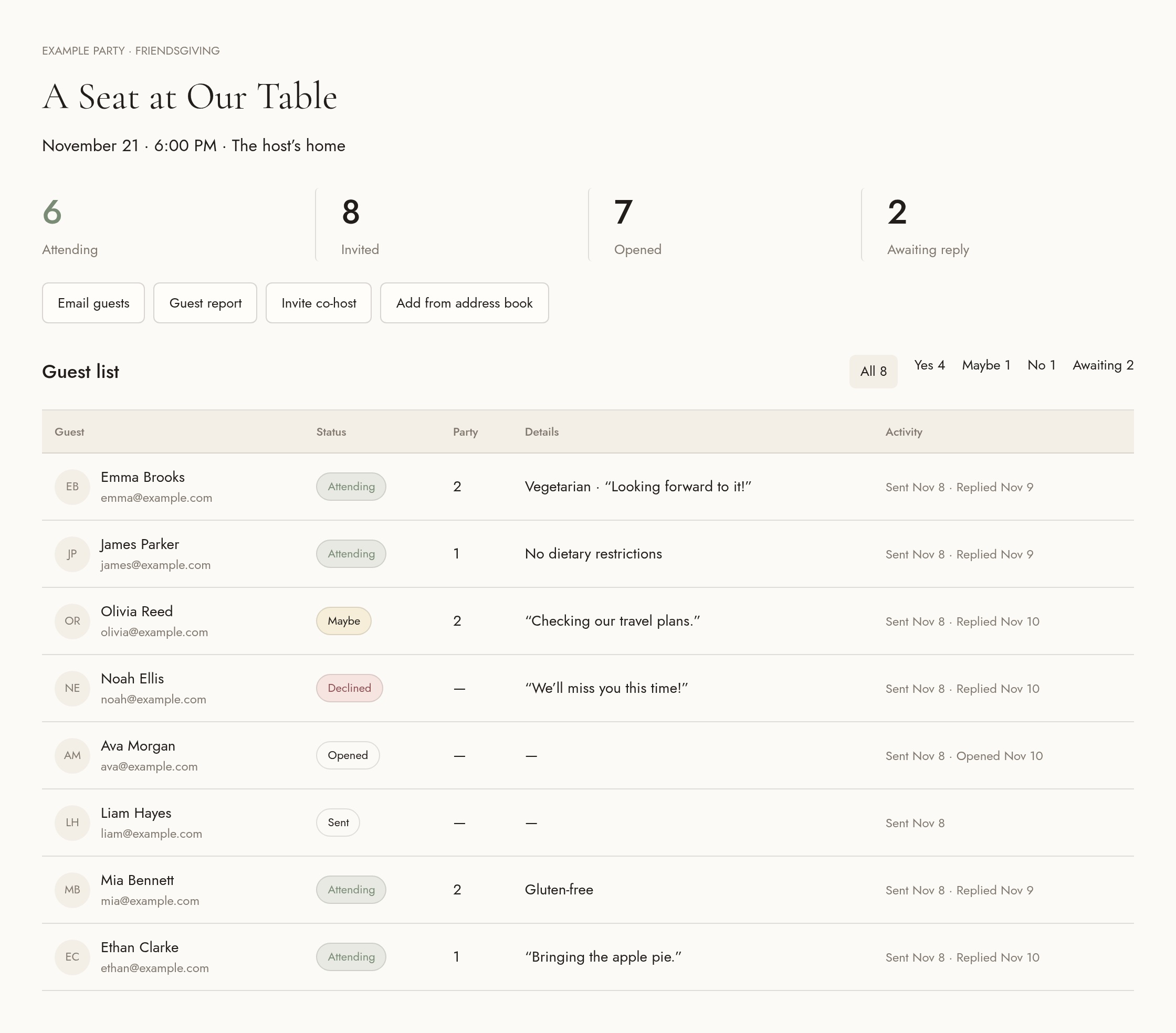
Your guest list. All the little details.
Add guests by name and email, upload a spreadsheet, or bring familiar faces over from your saved address book. See who’s attending, who’s opened their invitation, and who still needs a gentle nudge—with headcounts, dietary notes, and messages right beside each name.
02 · Your party, pulled together
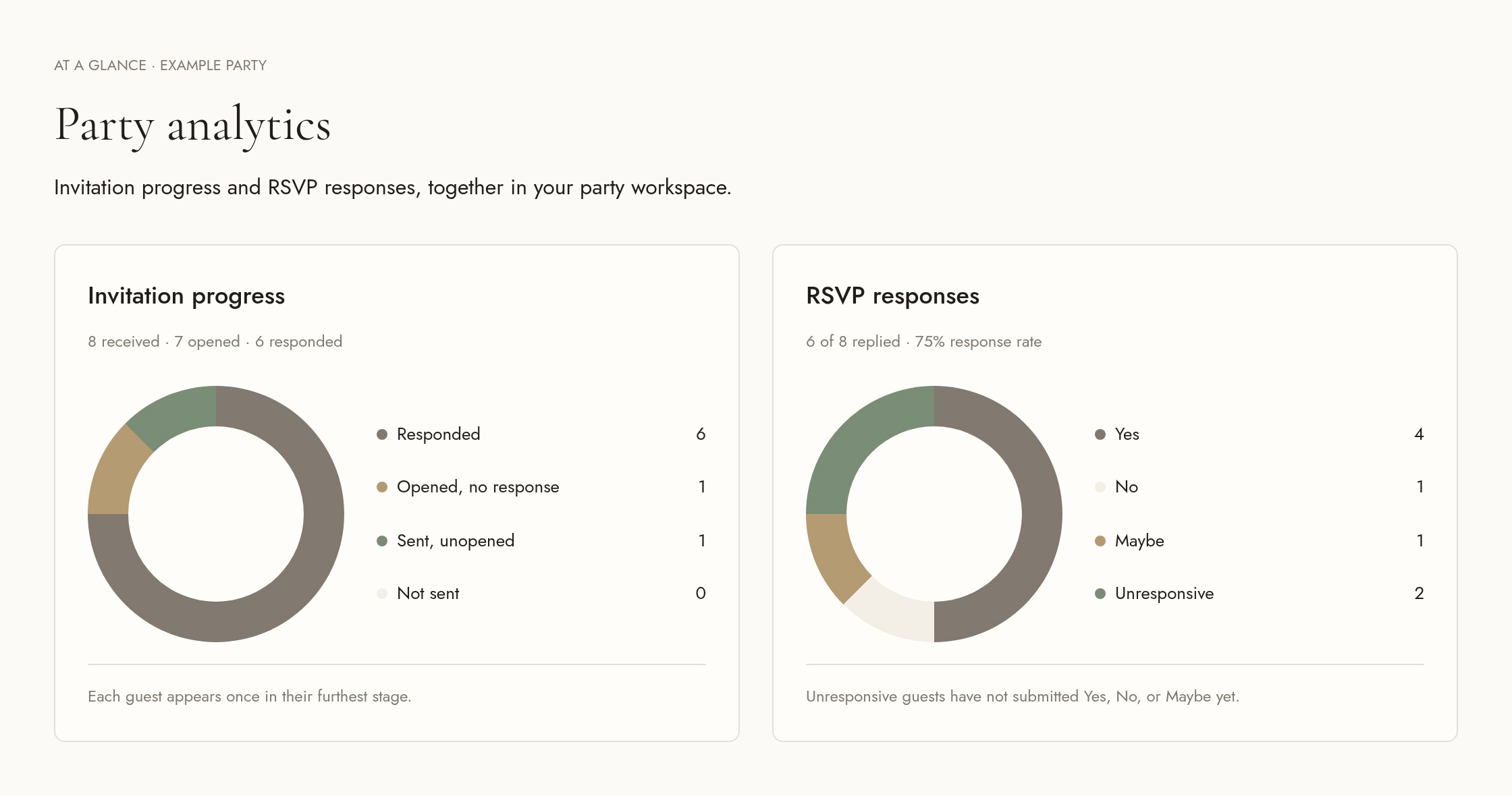
Less guessing. More celebrating.
Your invitation and RSVP charts put the big picture in plain sight. Keep Yes, No, Maybe, and unanswered replies together, and follow invitation progress as guests open and respond. The charts stay up to date in your party workspace.
03 · Your party, pulled together
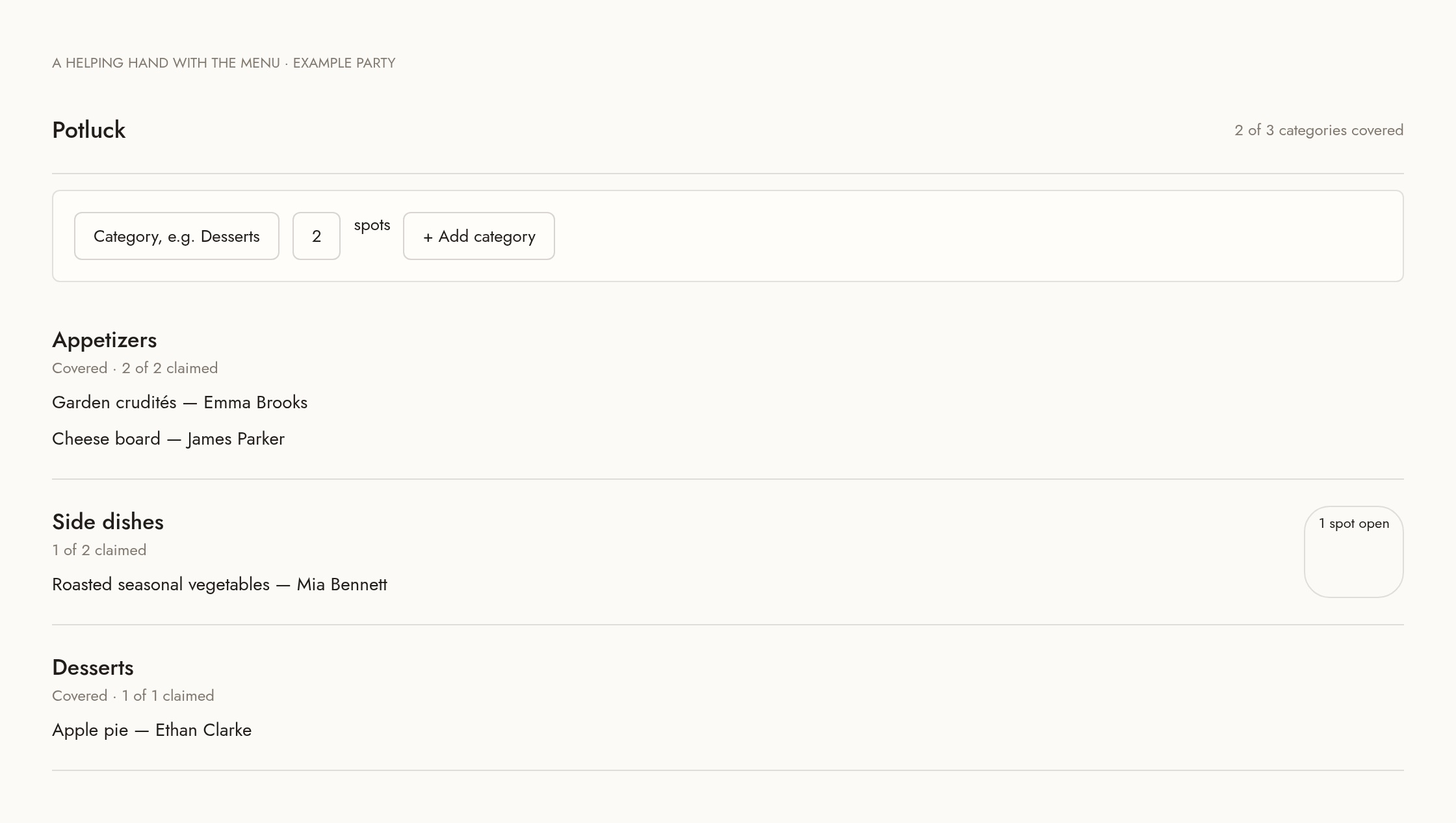
A table full of good things. Without the group chat.
When potluck sign-ups are turned on, choose your categories and the number of spots. Guests reserve what they’ll bring through their private invitation, and you can see the dishes, the names, and the spots still waiting to be filled.
04 · Your party, pulled together
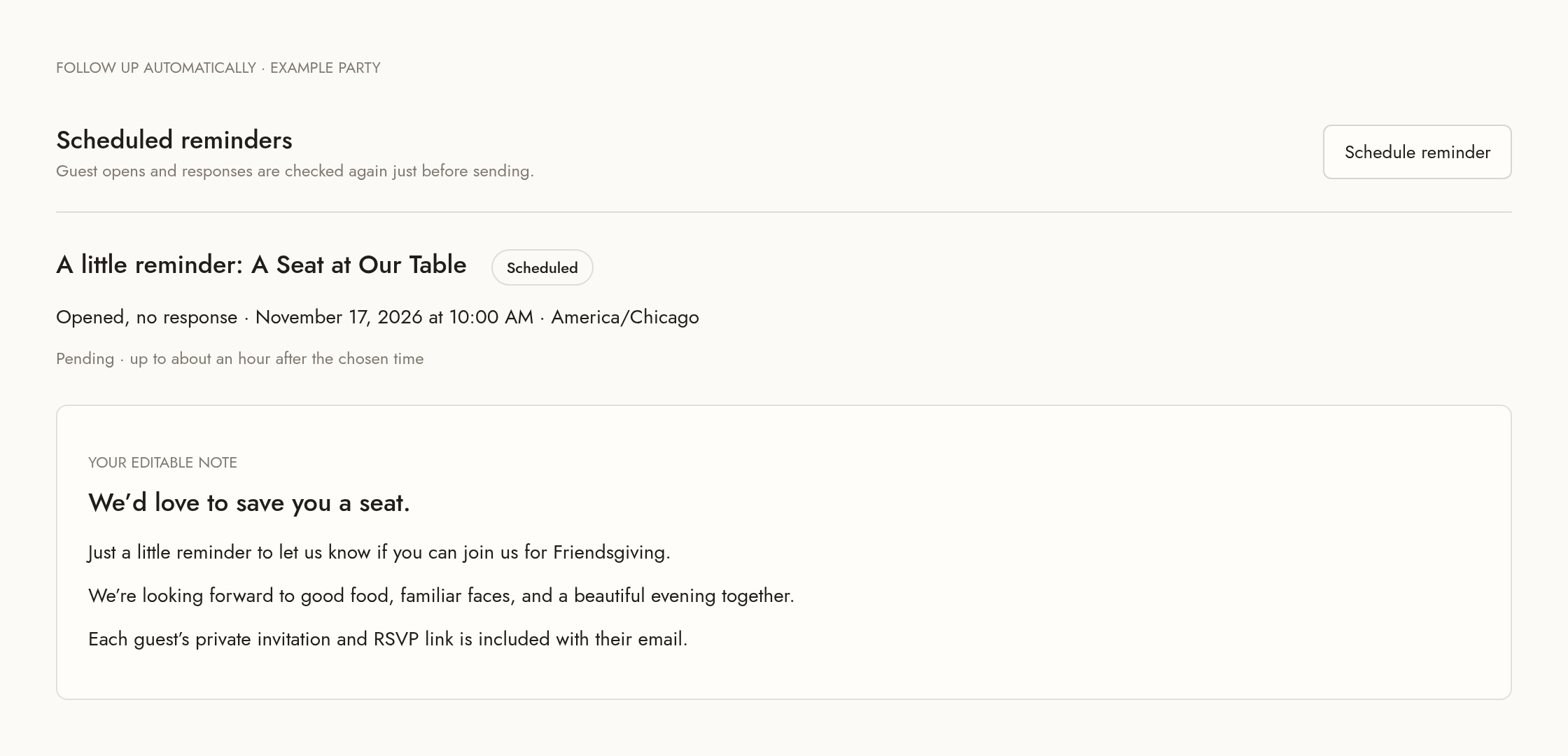
A thoughtful note. A timely little nudge.
Make prewritten notes and updates sound like you, then email your Yes, Maybe, or unanswered guests. Schedule a reminder for unopened invitations or opened invitations without a reply; eligibility and opt-outs are checked again before sending. Reminders run hourly and may arrive up to about an hour after your chosen time.
A helping hand, from the first invitation.
Invite a co-host to plan alongside you, and download guest reports when it’s time to finalize the details. Your purchased parties live in your Party HQ; a new celebration starts with a new invitation from the shop.